
Choose your reminder time
Turn on the progress-photo reminder and select a time that fits your routine. DermaScanAI sends a notification at the chosen time to remind you to add a new photo.
Reminders are optional. You can change the notification time or turn the feature off whenever you want.
- Enable or disable the daily reminder.
- Select a reminder time that fits your day.
- Return to the progress camera from the reminder.
Follow your photo streak
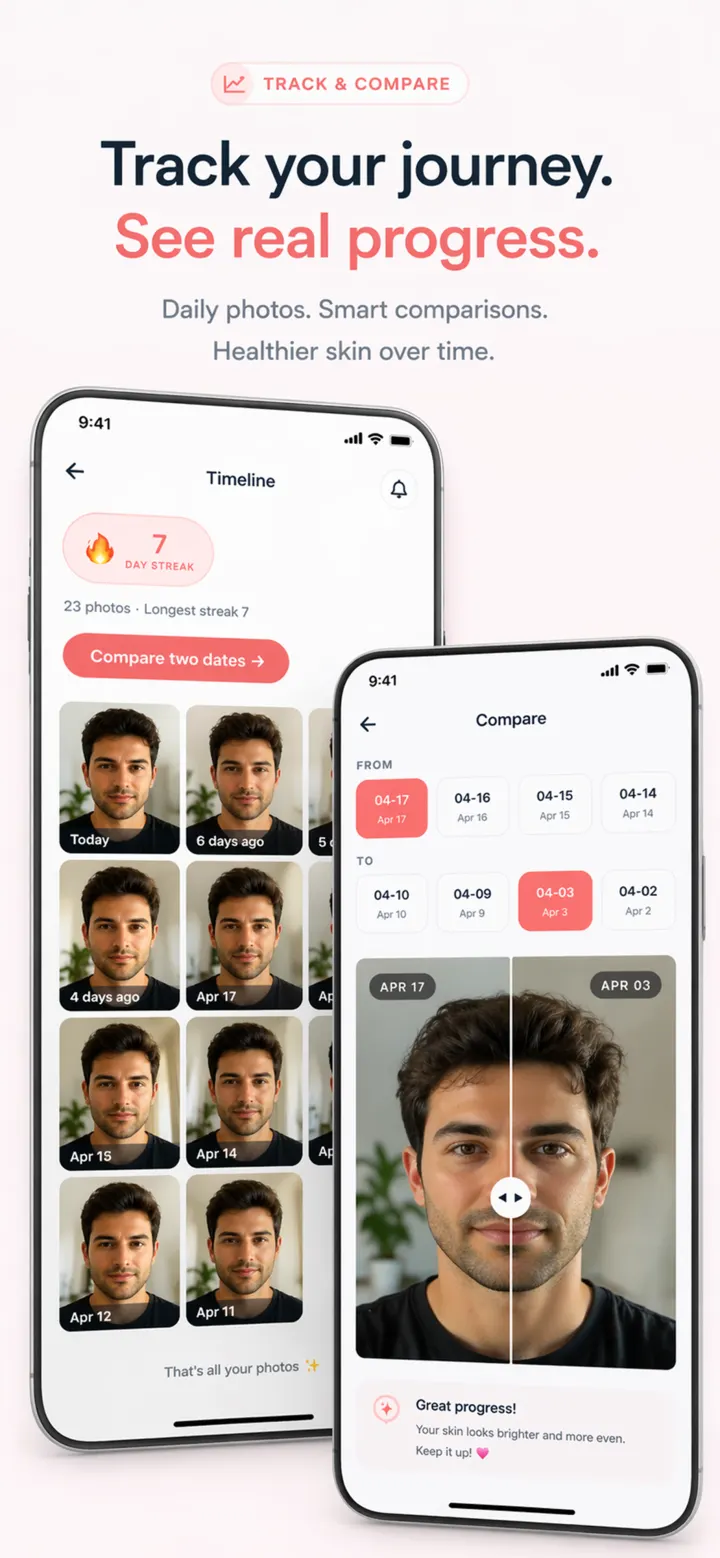
Each time you add a progress photo, DermaScanAI can update your current recording streak. The app can also mark selected recording days such as day 7, 14 or 30.
Missing a day does not make earlier photos less useful. Similar lighting, distance and face position matter more for comparison than keeping a perfect streak.
- Follow your current photo streak.
- See supported 7, 14, 30, 60, 90, 180 and 365-day recording markers.
- Keep track of when you added progress photos.
Open the reminder and add your next photo
When it is time to record, use the face-position guidance and faded previous-image reference to recreate a comparable pose. Saved photos join the dated timeline and can be compared across two selected dates.
If a skin change is painful, bleeding, rapidly changing or not healing, do not wait for the next reminder or milestone. Seek an appropriate professional assessment.
Questions
Frequently asked questions
Can I turn the DermaScanAI reminder off?
Yes. Progress reminders are optional. You can change the selected time or disable the reminder from the available progress or settings controls.
Does a longer streak mean my skin improved?
No. A streak only records consistency in adding photos. Lighting, natural variation, products and many other factors affect appearance, so it is not a measure of clinical improvement.