YOUR SKINCARE APP FOR IPHONE AND ANDROID

AI skin analysis.
Care that fits you.

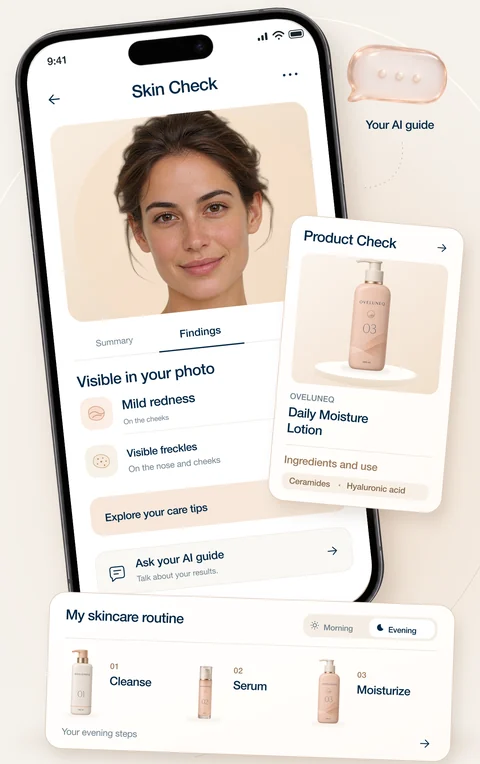
Explore what your skin photo shows, understand the ingredients in your skincare products and build a morning and evening routine around your needs.

Available for iPhone and Android

Explore the app
DermaScanAI app preview with a skin assessment, skincare product details and a morning and evening routine.
App previews with illustrative results and products.

SKIN, PRODUCTS AND DAILY CARE

Understand your skin. Put that knowledge to use.

Check a skin photo, look up a product or plan your daily skincare. Keep your results and products together in one app.

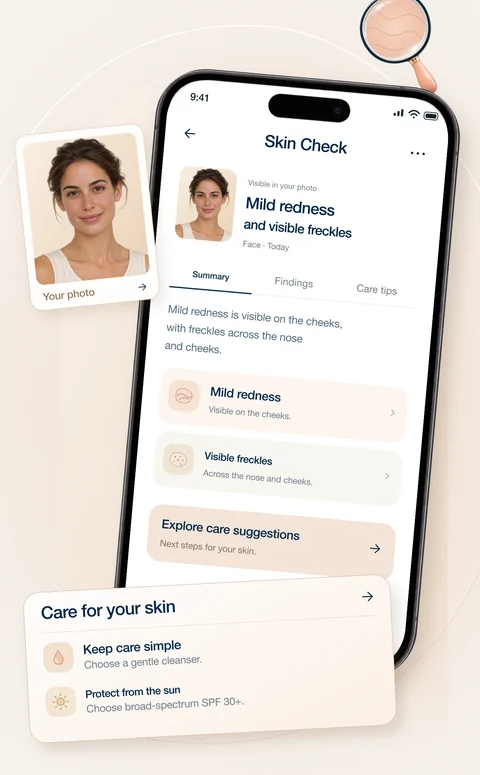
DermaScanAI Skin Check preview showing visible findings from a skin photo.
Skin Check

Skin analysis starts with a photo.

Use the AI skin scanner to explore visible features on your face, hand or another area of skin. Read observations, possible explanations and suggested next steps in clear language.

  • Photo-based observations
  • Possible explanations
  • Practical next steps
Explore AI skin analysis
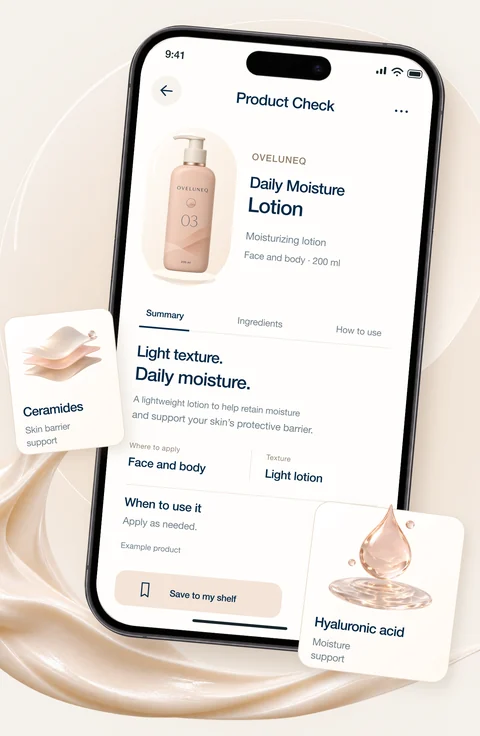
Product Check app preview with a skincare bottle, highlighted ingredients and usage information.
Product Check

Understand your skincare ingredients.

Photograph a cream, serum or other cosmetic product. The skincare ingredient checker helps identify the product and explain its ingredients and use, with sources and store links when available.

  • Product identification
  • Ingredients and use
  • Sourced product details
Explore the skincare ingredient checker
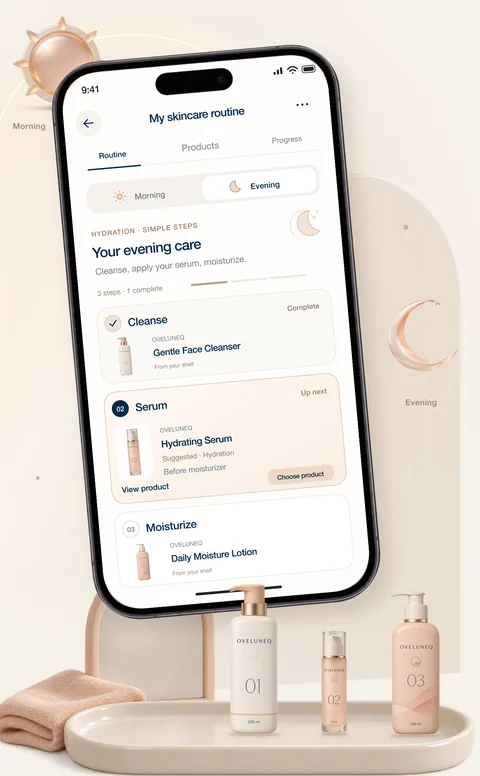
Personal skincare routine preview with morning and evening steps and product suggestions.
My skincare routine

Build a routine you can follow.

Not sure what goes on first? Create a personal skincare routine with morning and evening steps, product order and instructions. Include products you own or explore suggestions based on your preferences.

  • Morning and evening steps
  • Your products or suggestions
  • Clear order and instructions
Explore the skincare routine builder
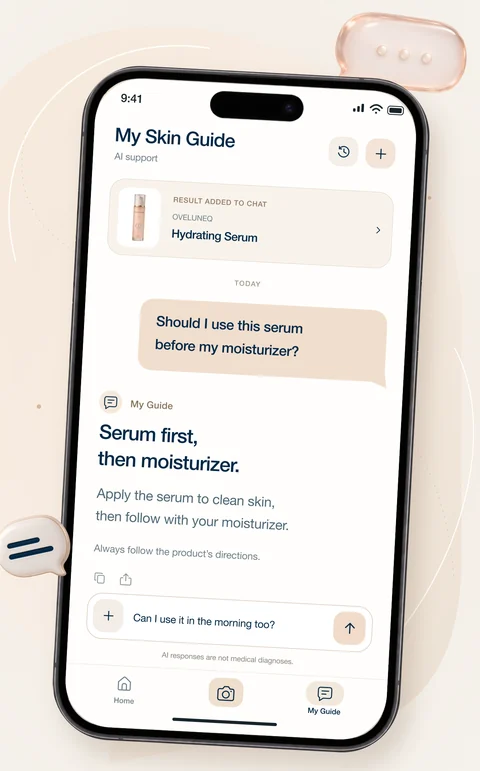
Your AI guide

Keep the conversation going.

Something in your result caught your attention? Ask a follow-up question with your saved skin or product result as context.

Meet your AI skincare guide
DermaScanAI guide conversation explaining a saved skincare result.
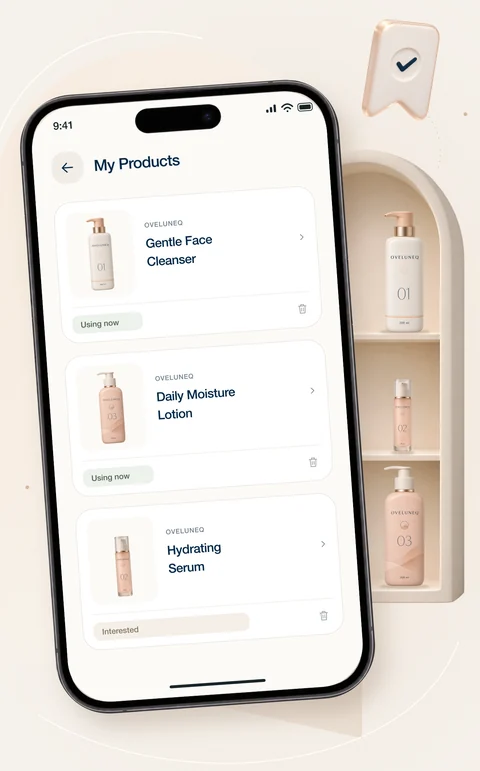
My products

A little order for your shelf.

Save the products you check, revisit their details and distinguish what you use from what interests you. Bring selected products into your routine.

See how your product shelf works
Saved skincare products on the DermaScanAI product shelf.

A SIMPLE PLACE TO START

How to get started with DermaScanAI.

  1. Open the app and choose a feature

    Download DermaScanAI for iPhone or Android. Take a skin photo, check a product or start your routine.

  2. Make sense of the details

    Read your results, open the sources and ask follow-up questions.

  3. Make it part of your day

    Keep useful results and products together. Return to your routine when you need it.

How it works

Frequently asked questions

Questions about the skincare app.

Questions?
How does AI skin analysis from a photo work?

Take or choose a clear photo in the app. DermaScanAI describes visible skin features, offers possible explanations and suggests next steps. You can add context and ask follow-up questions about the result. It can assess visible skin on your face or another body area; it is not a diagnostic examination.

Can I check the ingredients in a cream or serum?

Yes. Photograph the product in Product Check. The app identifies it where possible and looks for ingredient and usage information from available sources. If the exact formula cannot be verified, you can add a readable ingredient-label photo. It does not guarantee that a product will suit your skin.

Can the app help me put skincare products in order?

The routine builder organizes morning and evening steps around your goals, preferences and selected products, with instructions for each step. You can start with products you own or explore suggestions; you do not need to buy a new set of products to begin.

Does a skin check give me a medical diagnosis?

No. It offers observations, possible explanations and informational guidance. A photo cannot establish a diagnosis. For a worrying or changing skin concern, speak to a qualified healthcare professional.

Can I use the skin scanner on this website?

Skin checks, product checks and personal routines run in the DermaScanAI mobile app, available for iPhone and Android. This website explains the features and links to the official app downloads.

Is the app free to download?

You can download the app for free. Some features have usage limits or require Premium. Available plans, trial eligibility and local prices are shown in the app before purchase.

DERMASCANAI FOR IPHONE AND ANDROID

Bring your skin questions. Find your next step.

Download the app to explore a skin photo, check a skincare product or create your personal care routine.

For informational purposes. Not a medical diagnosis.