
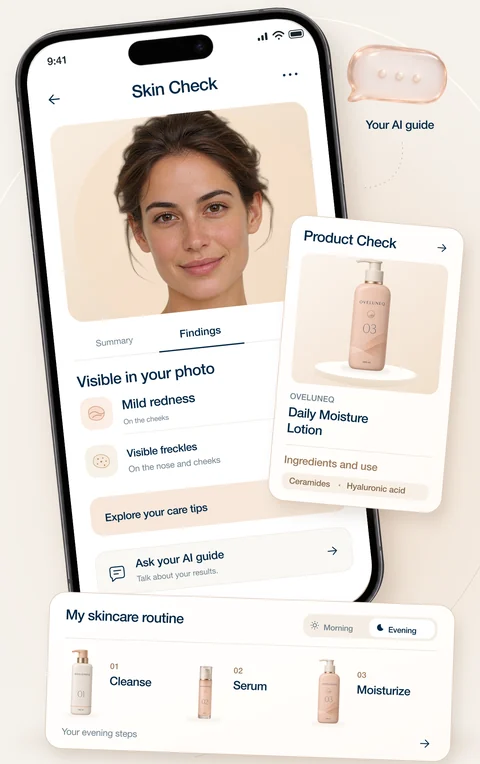
Check a skin photo or a skincare product
Choose Skin Check to explore visible skin on your face or another area. It organises observations, possible explanations and suggestions from your photo without treating the result as a confirmed diagnosis.
Choose Product Check when your question is about a cream, cleanser or another cosmetic product. The app looks for product details, ingredient information, usage and available store links.
Build a routine around you
Tell the app about your goals and preferences. Include products you already use, explore suggestions or combine the two in a morning and evening routine. A face photo is optional.
Your routine explains the purpose and order of its steps. Return to the saved plan when it is time for your morning or evening care, instead of building it again each day.
Keep useful discoveries close
Save products to your shelf, revisit previous analyses and ask your AI guide about the result you have open. You do not have to remember every ingredient or start each question from scratch.
Questions
Frequently asked questions
Where should I start?
Start with the question you have today: a skin photo, a product you want to understand or a routine you want to organise. You can explore the other features later.
Does the app replace a dermatologist?
No. Skin checks and AI conversations are informational. They do not provide a confirmed diagnosis or replace an examination by a qualified professional.
Can I use the features on this website?
These pages explain the features and how they connect. Skin checks, product scans, routine creation and AI conversations take place in the DermaScanAI app for iPhone and Android.
How is Product Check different from Skin Check?
Skin Check starts with a photo of visible skin. Product Check starts with cosmetic packaging and researches the product's available details. Use the routine builder when you want to organise products into daily care.